Overview
What the app does and where to start
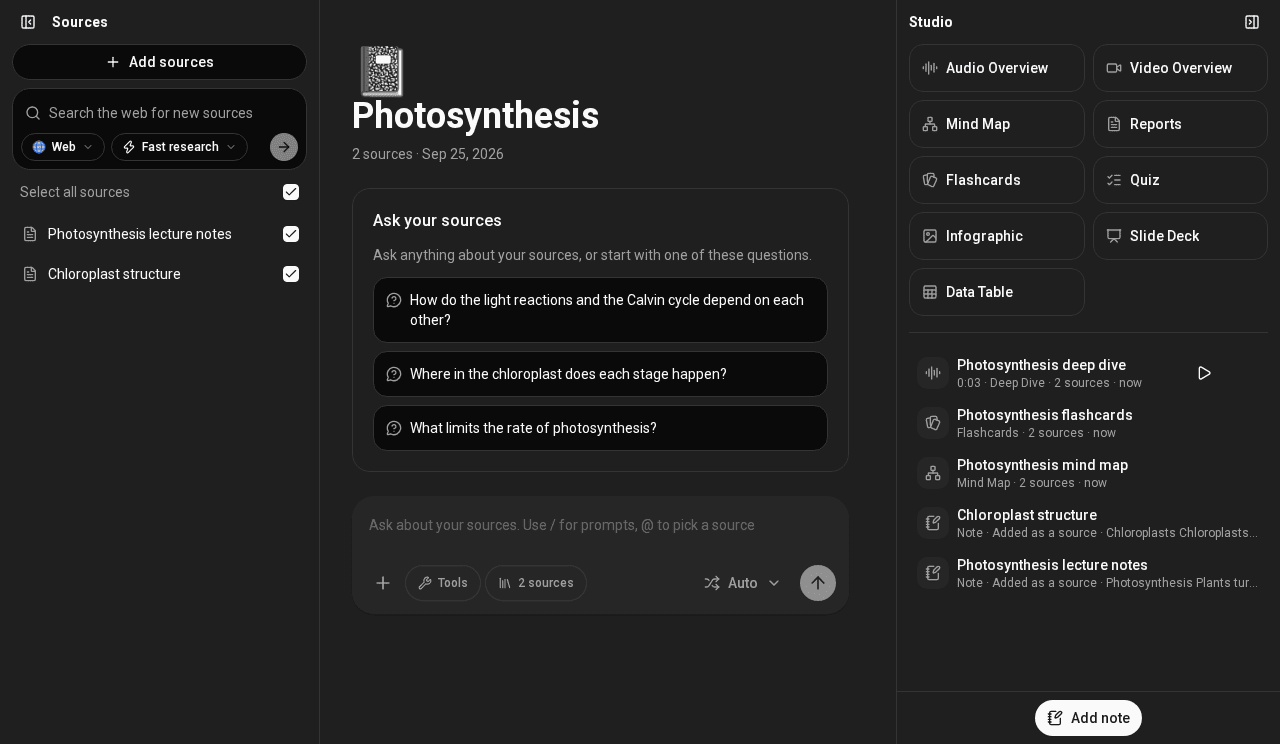
Soloclef Notes is a notebook app for studying and research. You put your material into a notebook, then ask questions about it and turn it into things you can learn from.
- Sources. Upload files, pick files from Google Drive or Nextcloud, or search the web, PubMed, arXiv and more and import what you find.
- Chat. Each notebook has one chat. It answers from that notebook's sources and shows citations you can open.
- Studio. Two clicks make a report, mind map, infographic, flashcards, quiz, slide deck, data table, audio overview or video overview from your sources.
- Notes. Save answers as notes, write your own, and turn a note into a source.
- Automations. Have the assistant run a task on a schedule, and keep or email you the result.
- Email. Connect a mailbox so the assistant can search and read your mail, read-only.
- Sharing. Invite people into a workspace, and share a chat, an output or a whole notebook by link.
Where to go next
- Getting started: your first notebook in a few minutes.
- Notebooks and sources: every way to add material.
- Studio: each output and its options.
- Connect your agent: use your workspace from Claude Code, Cursor and other agents.
- Workspaces and sharing: members, roles, public links and workspace settings.
- Automations: tasks that run on a schedule.
- Email: reading your mailbox, and the emails the app sends you.
- Notifications: the bell, and announcements.
- Plans and credits: what things cost.
- Privacy and data: where your files go.